System Integration & Connectors Make Your Business Systems Work Together
Appzgate connects business software, APIs and data so your existing systems can work together instead of operating in isolation. We develop custom connectors, synchronization workflows and automation between CRM, ERP, eCommerce, databases, internal systems and third-party platforms.

Connect your systems.
Control the data flow
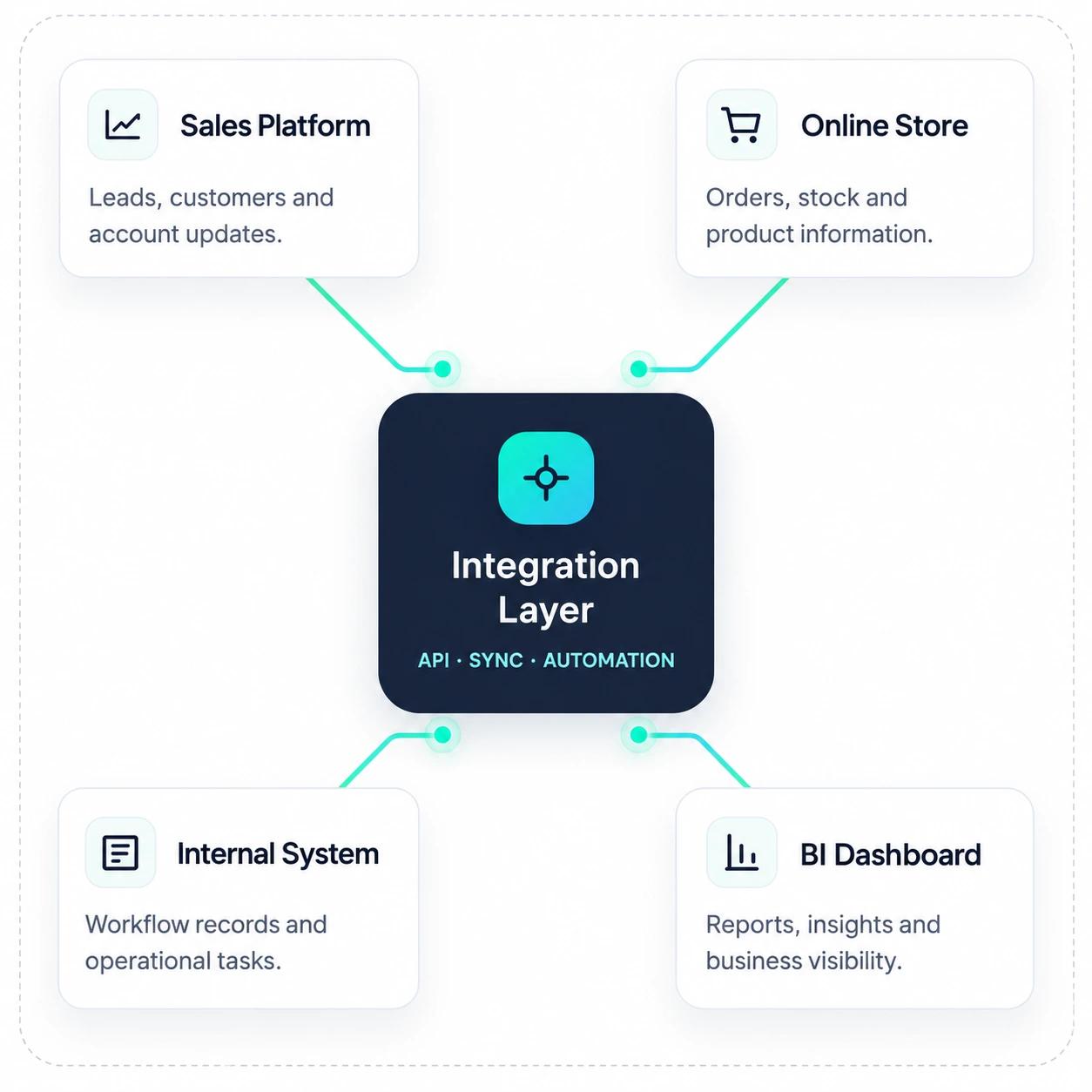
A reliable integration does more than connect two applications. It needs clear data mapping, automation rules, validation and monitoring so information reaches the right system in the right format.
Layer
APIs & Webhooks
Connect platforms through available APIs, webhooks and custom integration logic so systems can exchange information automatically.
Data Mapping & Sync
Define which fields move between systems, how they are transformed and when records should be created or updated.
Workflow Automation
Trigger actions when orders, customers, approvals, inventory or other business events change across connected platforms.
Validation & Monitoring
Check data before synchronization and monitor integration activity so failed or incomplete transfers can be identified and resolved.
An order, customer update, form submission or other business event starts the integration.
Required fields and integration rules are checked before information moves forward.
Data is mapped, transformed where necessary and sent to the connected system.
The result is recorded so the workflow can continue or any integration issue can be reviewed.
Make your systems work as one
When important business information sits across different platforms, teams often spend time copying data, checking records and repeating the same updates. Appzgate builds integration layers that allow your systems to exchange information automatically and support a more connected workflow.
Connect the systems your business already runs on
Your business may already use several systems for customers, operations, commerce, reporting and internal workflows. Appzgate builds the integration layer that allows those systems to exchange the information they need.
CRM Systems
Connect customer profiles, enquiries, leads, sales activities and service information with the other systems involved in your workflow.
ERP Systems
Link operational information such as inventory, purchasing, finance, orders and internal processes with connected business applications.
eCommerce & POS
Connect orders, products, inventory, customers and transaction-related information between online stores, POS systems and operational tools.
Databases & Internal Systems
Connect custom applications, internal databases and operational tools so information can move between existing and newly developed systems.
Reporting & BI Tools
Feed connected operational data into dashboards and reporting tools so teams can work from more consistent and up-to-date information.
APIs & External Services
Integrate third-party platforms through available APIs, webhooks or custom connector logic so external services become part of your business workflow.
Our System Integration Delivery Process
We review your existing systems, define how information should move, build and test the integration, then support it as your platforms and business requirements change.
Review
We review your current software, APIs, available data, manual processes and integration requirements to understand where the systems need to connect.
Map
We define the data fields, source and destination systems, synchronization direction, business rules, triggers and error-handling requirements.
Build & Test
We develop the API integration, connector, webhook or middleware logic and test the complete flow using practical business scenarios.
Monitor & Support
After launch, Appzgate can monitor the integration, investigate synchronization issues and update the connector when APIs, systems or workflows change.
Need Two Or More Business Systems To Work Together?
Tell us which systems you use and what information needs to move between them. Appzgate can help plan and build the APIs, connectors, data synchronization and workflow automation needed to create a more connected operation.
No obligation — start by sharing your current systems and integration requirement.